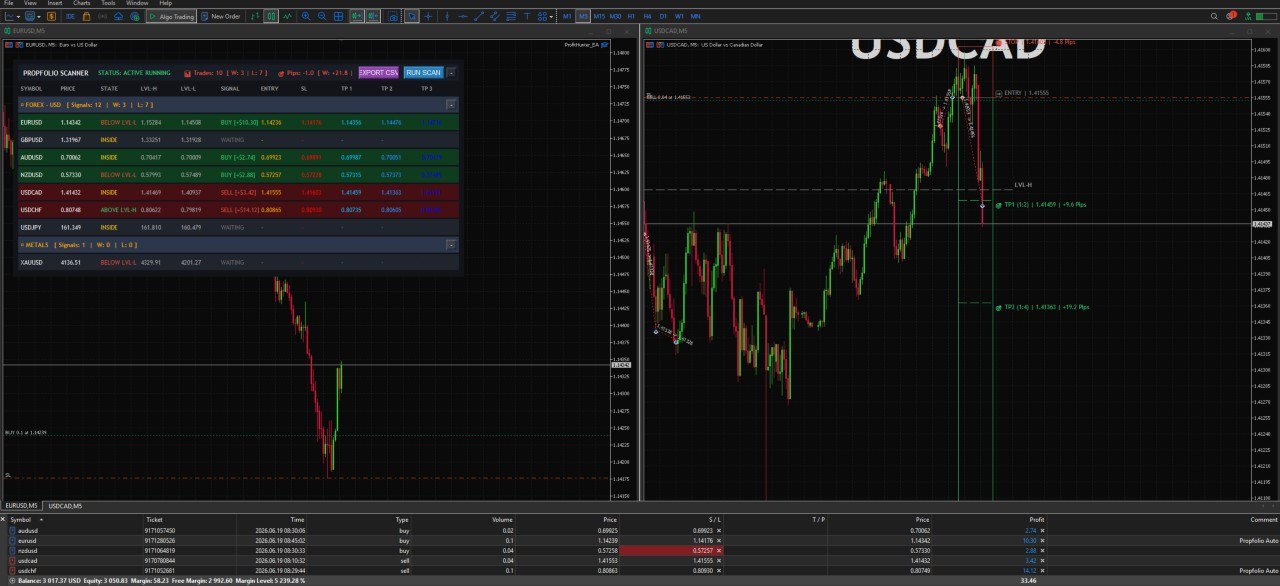
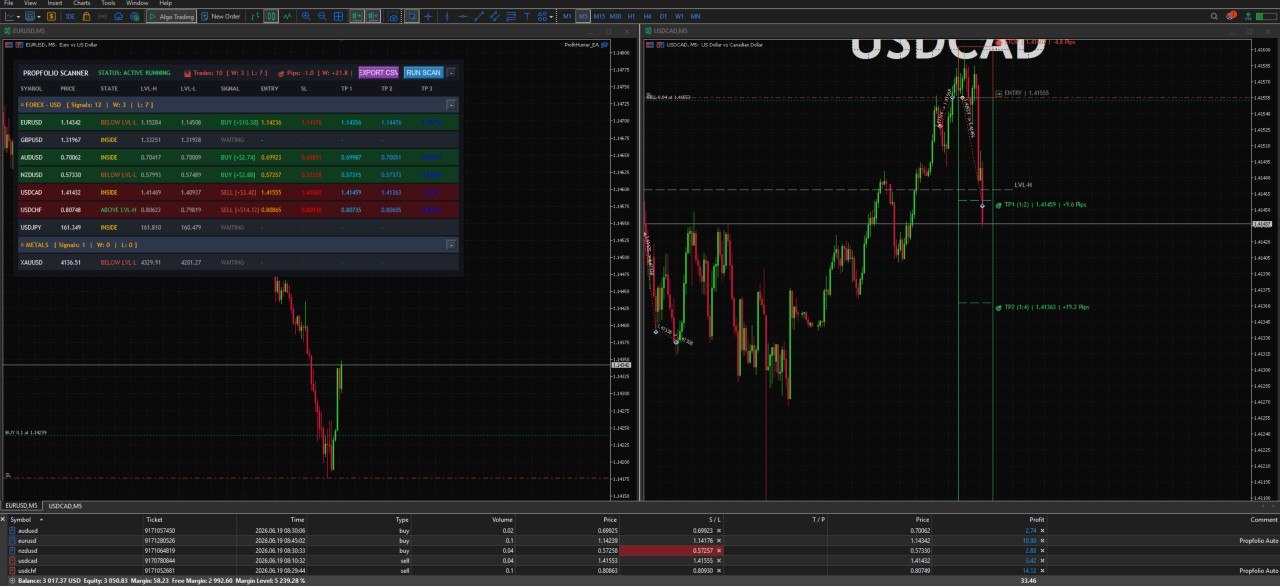
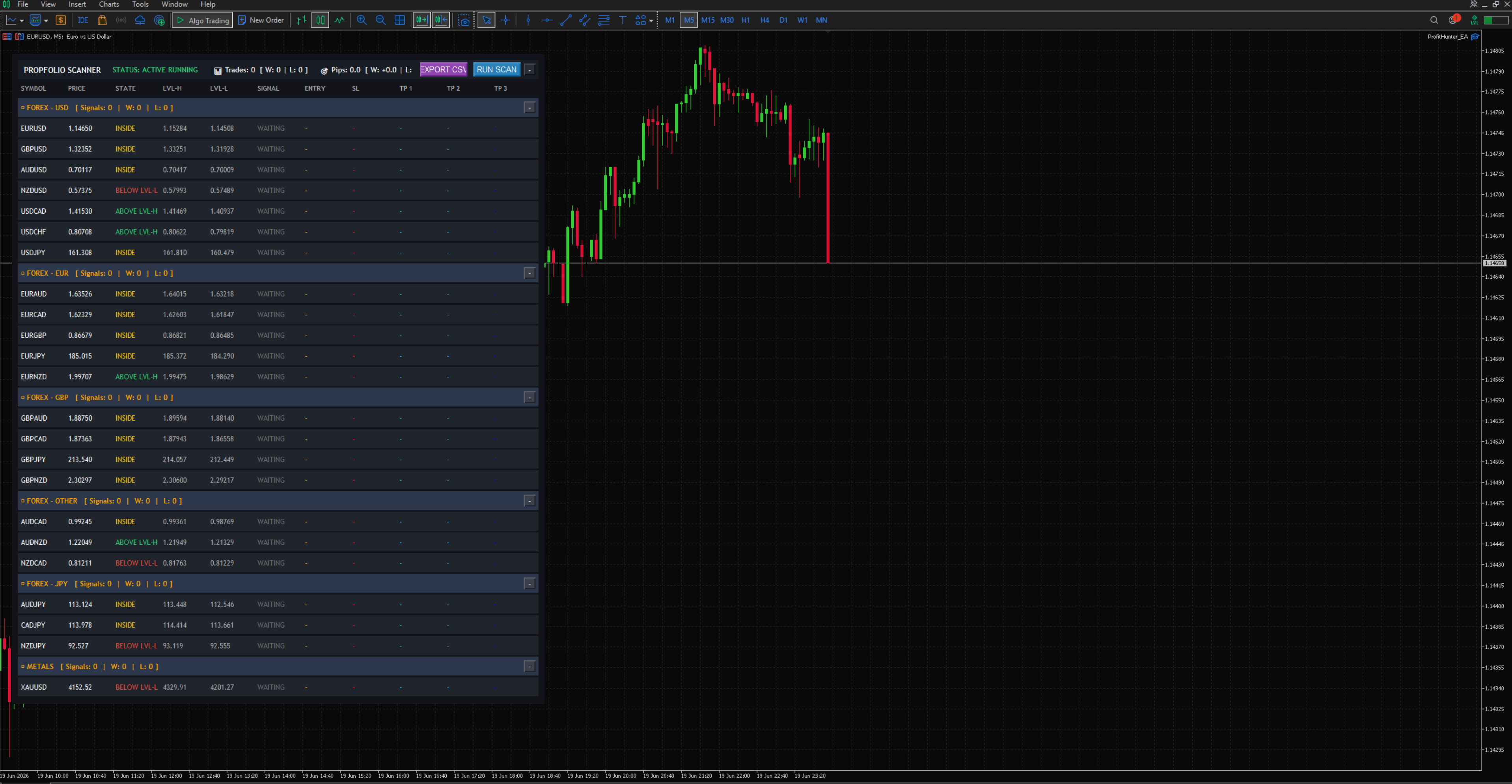

📹 Product Demo
PF Power Signals Automated EA: The Ultimate Liquidity Sweep Robot
Product Overview Take the emotion, hesitation, and screen-time out of your trading. The PF Power Signals Automated EA takes our highly accurate, institutional-grade liquidity sweep algorithm and turns it into a 100% hands-free trading machine. Designed with Prop Firm traders in mind, this Expert Advisor doesn’t just blindly execute trades. It features Strict Structural Memory to avoid choppy market fakeouts, highly granular asset-class risk management, custom partial-profit baskets, and hard equity protections to ensure your funded accounts remain safe. The Strategy & The Edge The EA continuously scans a matrix of up to 28 Forex pairs, Metals, Indices, and Crypto to trade the "Turtle Soup" strategy around the Previous Day High (PDH) and Previous Day Low (PDL). Absolute Extreme Execution: If price sweeps the PDH/PDL, the EA waits for a strict price action reversal. It uses a dynamic memory engine to ensure it only executes at the absolute high/low of the day, completely ignoring dangerous "higher-low" traps. Precision Stop Loss: SL is never guessed. It is mathematically placed behind the exact extreme of the sweep, incorporating live spread + a strict 1-pip buffer to survive broker stop-hunts. Multi-Stage Targeting: Automatically maps out dynamic 1:2 (TP1), 1:4 (TP2), and 1:8 (TP3) risk-to-reward targets. Core Automation Features 🛡️ Prop-Firm Equity Protection: Set a hard Daily Profit Target (halts trading to secure payouts) and a Daily Loss Limit (halts trading to prevent account breaching). 💼 Custom Basket Liquidations: You control exactly how much volume to close at each target. (e.g., Liquidate 60% of your position at TP1 to secure risk, 20% at TP2, and let a 20% runner fly to TP3). ⚖️ Granular Risk Management: Markets move differently. Set completely independent Risk % or Fixed Lots for Forex, Metals, Indices, and Crypto. 📈 Advanced Trailing Stops: Enable the USD Trailing Stop to lock in profit based on actual dollar amounts once a trade moves deeply in your favor. 🖥️ Interactive UI Dashboard: Even though it's automated, you get full visibility. Click any active trade on the on-chart dashboard to instantly open a master chart displaying the beautiful TradingView-style entry, SL, and TP zones. 📱 Instant Telegram Integration: Get live alerts beamed to your phone the exact millisecond a trade executes, hits TP1, or closes.
Choose License
📋 Setup Instructions
Step 1: Installation
Download the PF Power Signal EA Autotrade.ex5 file.
Open your MT5 terminal.
Go to File > Open Data Folder.
Navigate to MQL5 > Experts.
Paste the .ex5 file into this folder.
Refresh your Navigator panel in MT5.
Step 2: Enable API & Auto-Trading (Crucial)
Because this EA executes trades, verifies your license, and sends Telegram alerts, you must configure MT5 correctly:
At the top of MT5, ensure the "Algo Trading" button is clicked and shows a Green play icon.
Go to Tools > Options > Expert Advisors.
Check "Allow automated trading".
Check "Allow WebRequest for listed URL".
Add these exactly:
[https://propfolio.cloud](https://propfolio.cloud) (For License Verification)
[https://api.telegram.org](https://api.telegram.org) (For Alerts)
Click OK.
Step 3: Attaching to the Chart
Open a single blank chart (e.g., EURUSD on M5 timeframe).
Drag and drop the PF Power Signals EA from the Navigator onto the chart.